Array Methods You Must Know
Arrays are everywhere in JavaScript.
If you're learning JS, mastering array methods will instantly level up your problem solving skills.
In this article we will cover:
push()andpop()shift()andunshift()map()filter()reduce()forEach()Traditional
forloop vsmap()/filter()
push() and pop()
These methods works at the end of an array.
push() -> Add to the end
let fruits = ["Apple", "Banana"];
fruits.push("Mango");
Before:
["Apple", "Banana"]
After:
["Apple", "Banana", "Mango"]
pop() -> Remove from the end
let fruits = ["Apple", "Mango", "Banana"];

fruits.pop();
Before:
["Apple", "Mango", "Banana"]
After:
["Apple", "Mango"]
shift() and unshift()
These methods work at the start of an array.
unshift() -> Add to the beginning
let numbers = [2, 3, 4];

numbers.unshift(1);
Before:
[2, 3, 4]
After:
[1, 2, 3, 4]
shift() -> Remove from the beginning
let numbers = [1, 2, 3, 4];

numbers.shift();
Before:
[1, 2, 3, 4]
After:
[2, 3, 4]
map() --> Transform Every Element
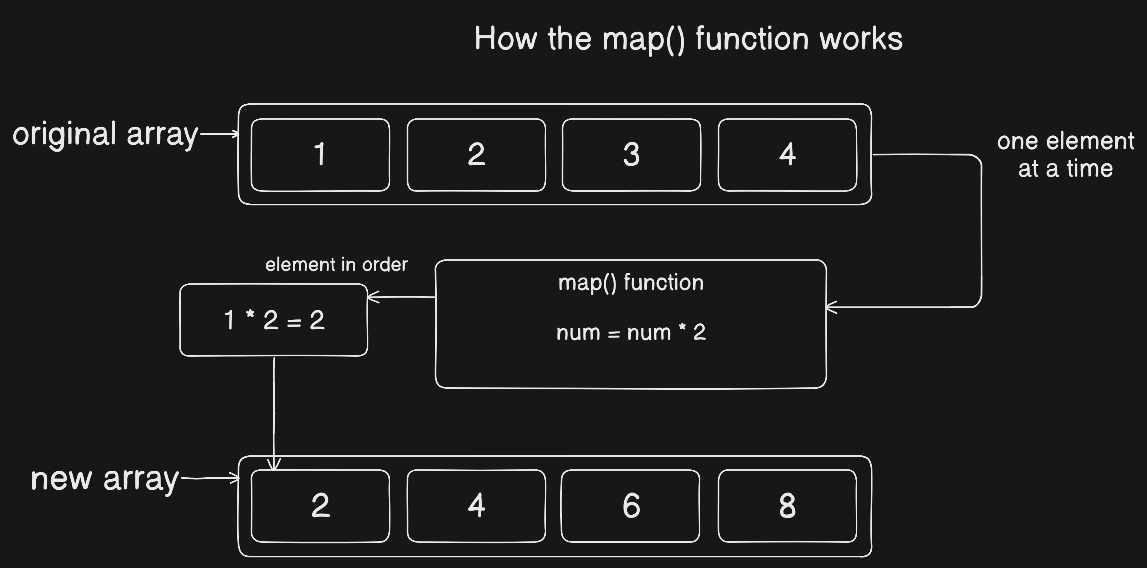
map() creates a new array by transforming every element.
Example: Double each number.
let numbers = [1, 2, 3];

let doubled = numbers.map(num => num * 2);
Output of doubled:
[2, 4, 6]
Original array remains unchanged.
Traditional for loop vs map()
Using for loop:
let numbers = [1, 2, 3];
let doubled = [];

for (let i = 0; i < numbers.length; i++) {
  doubled.push(numbers[i] * 2);
}
Using map():
let doubled = numbers.map(num => num * 2);
map() is cleaner and more readable.
filter() --> Keep what you want
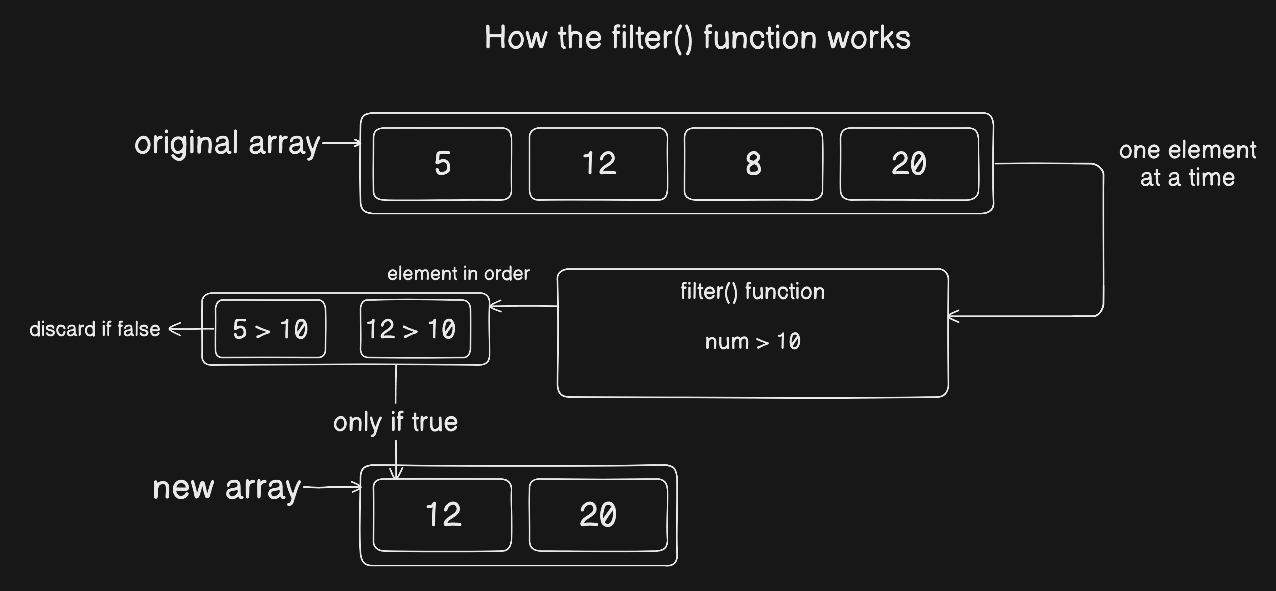
filter() creates a new array with element that satisfies the condition.
Example: Get numbers greater than 10.
let numbers = [5, 12, 8, 20];

let result = numbers.filter(num => num > 10);
Output of results:
[12, 20]
Traditional for loop vs filter()
Using for loop:
let result = [];

for (let i = 0; i < numbers.length; i++) {
  if (numbers[i] > 10) {
    result.push(numbers[i]);
  }
}
Using filter();
let result = numbers.filter(num => num > 10);
Cleaner. Less code. Easier to understand.
reduce() -> Combine Everything Into One Value
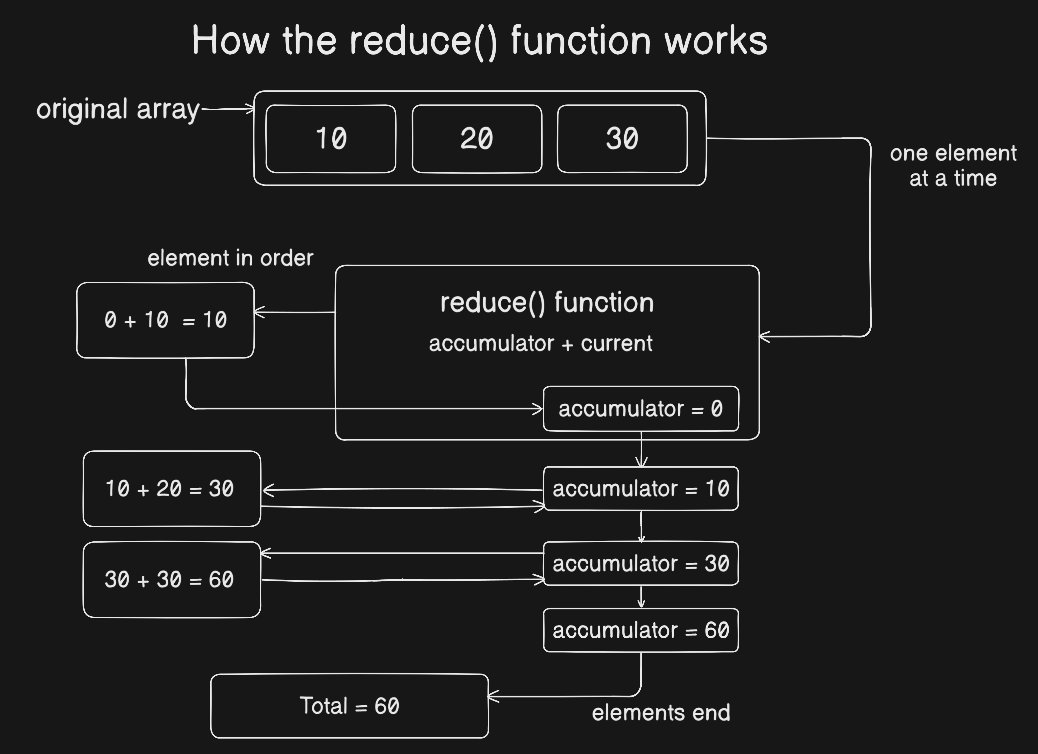
reduce() takes an array and turns it into one single value.
Think of it like:
Take everything and reduce it into one result.
Example: Calculate total sum
let numbers = [10, 20, 30];

let total = numbers.reduce((accumulator, current) => {
    return accumulator + current;
}, 0);
Output:
60
What's happening?
accumulator-> stores the totalcurrent-> current number0-> starting value
Step-by-Step:
0 + 10 = 10
10 + 20 = 30
30 + 30 = 60
forEach() --> Just run something on Each Item
forEach() loops through an array but does not create new array.
Example:
let numbers = [1, 2, 3];

numbers.forEach(function(num) {
  console.log(num * 2);
});
Output:
2
4
6
Use forEach() when you just want to perform an action (like logging).
Summary Table
| Method | What It Does |
|---|---|
| push() | Add to end |
| pop() | Remove from end |
| shift() | Remove from start |
| unshift() | Add to start |
| map() | Transform items |
| filter() | Select items |
| reduce() | Combine into one value |
| forEach() | Run code on each item |
Practice Assignment
(First try yourself)
Step 1: Create an array of numbers.
let numbers = [5, 10, 15, 20]
Step 2: Use map() to double each number
let doubled = numbers.map((number) => number * 2);
Step 3: Use filter() to get numbers greater than 10.
let greaterNumber = doubled.filter((number) => number > 10);
Step 4: Use reduce() to calculate total sum.
let totalSum = greaterNumber.reduce((acc, cur) => acc + cur, 0);
Final Advice
If you master these array methods, you’ll:
Write cleaner code
Avoid unnecessary loops
Think more functionally
Become confident in JavaScript interviews
Practice them today.


